
Real Estate · Practical AI · CNERD Tools
Show More. Explain Better. Help Buyers Take the Next Step.
Try the FREE 360 Studio Builder beta for Mac and Windows, copy practical AI prompts for your next listing, and discover CNERD Mac Utilities.

Your next customer wants to understand what you offer. Your next home buyer wants to understand the property before scheduling a visit. Give them something they can explore, clear information they can use, and an easy way to ask questions.
That’s what we’re building at CNERD: practical tools that help businesses present their work, communicate with customers, and make everyday tasks easier. For real estate professionals, that starts with helping buyers see more of a property—and helping agents spend less time assembling the same materials over and over.
Give buyers a better look with 360 Studio Builder
Photos introduce a property. An interactive 360° tour lets buyers look around and explore how its spaces connect.
CNERD’s 360 Studio Builder lets you organize prepared 360° panoramic images into interactive tours, connect locations, arrange guided stops, and create presentations you can share.
Use it to introduce a home, walk through a commercial space, or show customers a venue, showroom, or business location. For agents working with out-of-town buyers, a tour can give the next conversation a useful starting point: “Which rooms would you like to see more closely?”
Start with panoramic images exported from your 360 camera software, then build the experience around the spaces you want people to explore. The desktop beta is available for Apple silicon Macs and Windows PCs.
Put AI to work around your next listing
AI can help turn verified property information into a first draft of your listing description, tour introduction, and buyer follow-up. You supply the facts and review the result. Copy this prompt into your preferred AI assistant:
PROMPT
Turn property facts into a marketing first draft
Act as my real estate marketing assistant. Using only the verified property facts below, write:

1. A 150-word listing description.
2. A 50-word introduction for a 360° tour.
3. Three short social posts inviting people to explore the property.

Use clear, welcoming language and focus on the property’s features. Do not invent measurements, upgrades, travel times, or neighborhood claims. List missing information separately. End each piece with a simple invitation to view the tour or contact me.

Property facts: [paste verified details]
Tour link: [paste link]
Contact information: [add details]
You now have draft copy to review and use alongside your tour. The AI assistant prepares the words; you build and share the presentation in 360 Studio Builder.
Make your follow-up more useful
After a showing or tour, a specific message can help buyers decide what they want to explore next.
PROMPT
Write a helpful buyer follow-up
Draft a friendly follow-up message for someone who viewed this property. Thank them, include the 360° tour link, and ask which spaces or features they would like to discuss.

Use only the facts and questions supplied below. Keep it under 120 words, avoid pressure, and suggest one clear next step. Do not include private financial information.

Property facts: [add details]
Questions they asked: [add notes]
Tour link: [paste link]
Next step: [request a showing, ask a question, or schedule a call]
The same approach works for a business showing a customer its facilities, services, or completed work.
Make your Mac feel more familiar with CNERD Mac Utilities
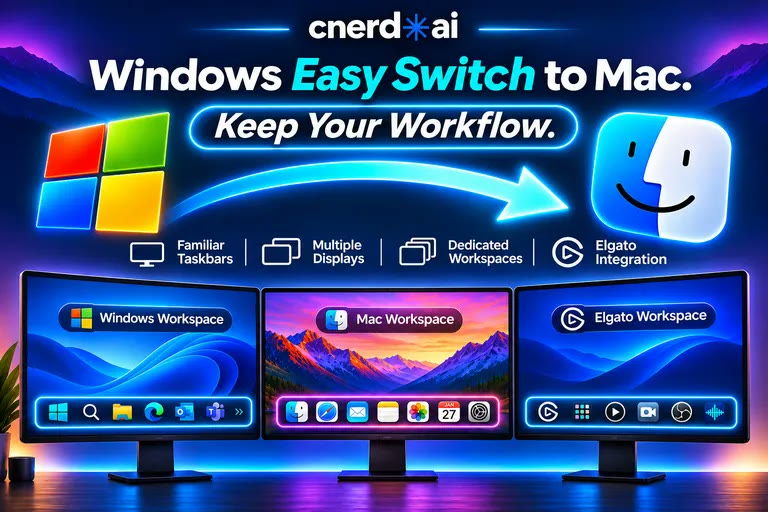
If you’ve moved from Windows to a Mac—or switch between them—you may miss familiar ways of organizing your screen.
CNERD Mac Utilities brings Windows-style controls to macOS, including a taskbar on every display, maximize-and-restore behavior, and keyboard shortcuts for snapping windows left and right.
For a busy real estate workspace, that could mean keeping property details on one side and your draft description on the other, with your most-used apps close at hand.
It’s free and open source, with support for Apple silicon and Intel Macs running macOS 14 or later. Mac Utilities runs on Mac; its familiar Windows-style controls are especially useful for people making the switch.
Build a repeatable routine for your business
You don’t need to adopt every tool at once. Pick one property or one customer presentation and start there. Here’s a prompt to help:
PROMPT
Plan your next property or business presentation
Help me create a repeatable checklist for presenting a property or business.

I use: [Mac or Windows]
I have: [photos, prepared 360° panoramas, verified facts, and existing documents]

Include preparing the assets, building a tour in 360 Studio Builder, drafting copy with an AI assistant, reviewing accuracy, sharing the presentation, and following up. Separate manual tasks from AI-assisted tasks. Keep the checklist practical for one person.
CNERD’s growing collection also includes tools such as RealImager for annotating photos while preserving the originals, meReader for working with PDFs, and CueSAGE for turning reviewed video-source material into searchable knowledge.
Let’s make your next presentation easier
Whether you’re marketing a home, introducing your business, or helping customers understand your services, CNERD is here to help you choose useful tools and put them to work.
Free beta access runs through December 15, 2026. No credit card required.